다운로더 작성
기계어 hex 파일로 FPGA 코어로 전송한다.
변환 프로그램 구동
python hexsend.py led.hex
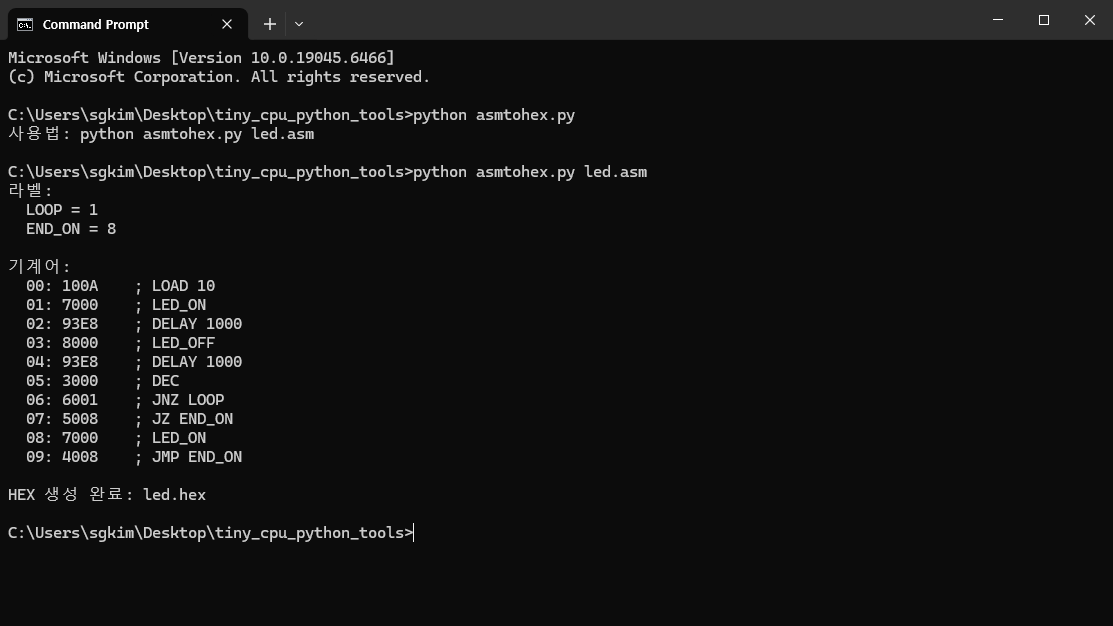
변환프로그램
hexsend.py 파일 이름으로 다음과 파이썬 언어로 작성한다.
import sys
import time
from pathlib import Path

try:
    import serial
except ImportError:
    print("pyserial이 필요합니다.")
    print("설치: pip install pyserial")
    sys.exit(1)

PORT = "COM3"
BAUD = 115200

def read_hex_file(hex_path):
    data = bytearray()

    for line_no, raw_line in enumerate(hex_path.read_text(encoding="utf-8").splitlines(), start=1):
        line = raw_line.split(";")[0].strip()

        if not line:
            continue

        line = line.replace("0x", "").replace("0X", "")

        if len(line) != 4:
            raise ValueError(f"{line_no}번째 줄 오류: 16비트 HEX 4자리여야 함: {raw_line}")

        word = int(line, 16)

        high = (word >> 8) & 0xFF
        low  = word & 0xFF

        data.append(high)
        data.append(low)

    return data

def main():
    if len(sys.argv) != 2:
        print("사용법: python hexsend.py led.hex")
        sys.exit(1)

    hex_path = Path(sys.argv[1])

    if not hex_path.exists():
        print(f"파일 없음: {hex_path}")
        sys.exit(1)

    send_data = read_hex_file(hex_path)

    send_data.append(0xFF)
    send_data.append(0xFF)

    print(f"파일: {hex_path}")
    print(f"전송 바이트 수: {len(send_data)}")
    print("전송 데이터:")
    print(send_data.hex(" ").upper())

    ser = serial.Serial(
        port=PORT,
        baudrate=BAUD,
        bytesize=serial.EIGHTBITS,
        parity=serial.PARITY_NONE,
        stopbits=serial.STOPBITS_ONE,
        timeout=1
    )

    time.sleep(2)

    ser.reset_input_buffer()
    ser.reset_output_buffer()

    ser.write(send_data)
    ser.flush()
    ser.close()

    print()
    print(f"{PORT}, {BAUD}bps 전송 완료")

if __name__ == "__main__":
    main()